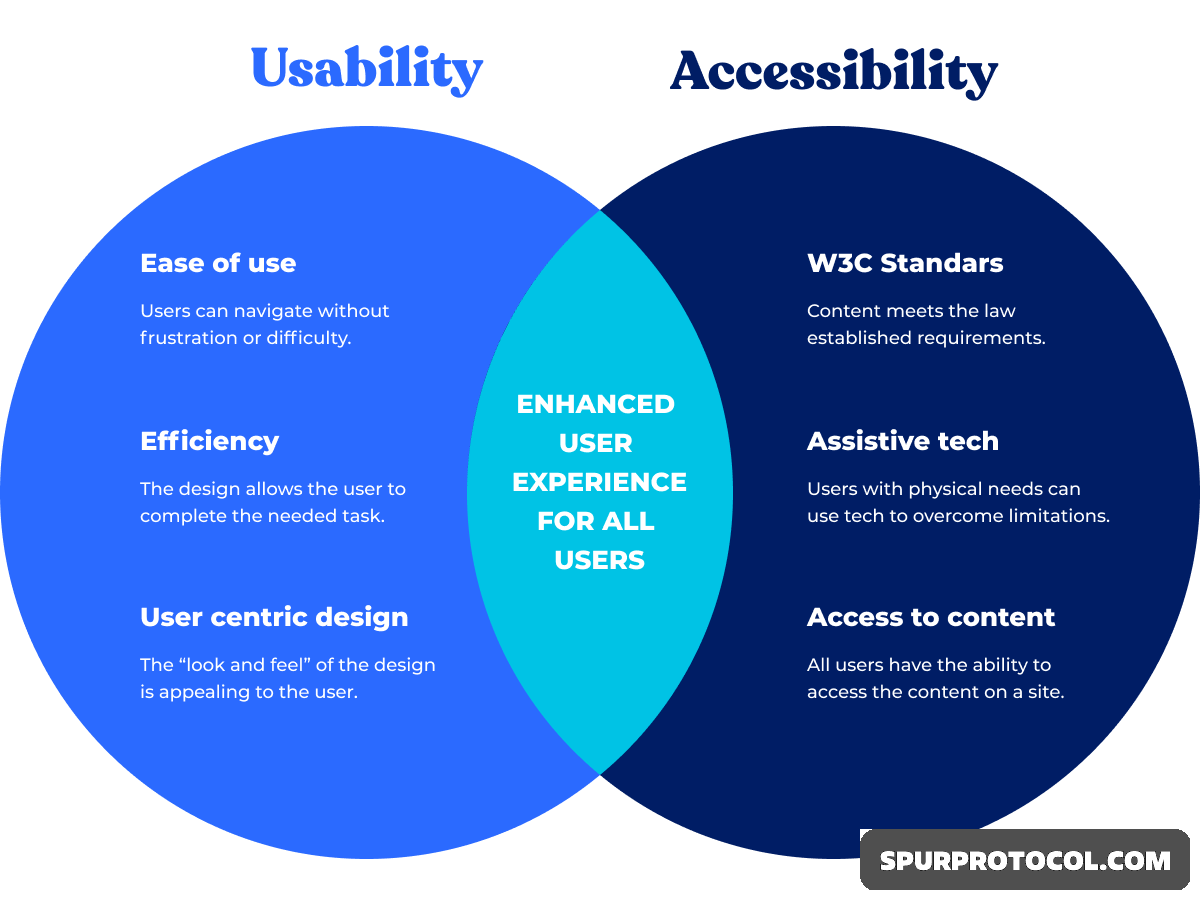
User Experience (UX): Focuses on making products intuitive, efficient, and delightful for all users.
Accessibility (A11y): Specifically ensures people with disabilities (visual, auditory, motor, cognitive) can perceive, understand, navigate, and interact with content.
Synergy: Accessibility isn't separate; it's the foundation for truly great UX, as inclusive design inherently removes friction for everyone (the curb-cut effect).
Key Practices for Improvement
Perceivable: Use sufficient color contrast, provide text alternatives (alt text) for images, and offer captions for videos.
Operable: Ensure full keyboard accessibility, sufficient time to read content, and clear focus indicators.
Understandable: Use simple, clear language, predictable navigation, and consistent layouts.
Robust: Design code that works across different browsers, assistive technologies (like screen readers), and devices.
Benefits of Integration
Wider Audience: Reach millions with access needs and older adults.
Enhanced SEO: Accessible content is often better structured for search engines.
Legal Compliance: Avoid penalties under laws like the ADA or EAA.
Innovation: Designing for constraints fosters creative solutions that benefit all.
Increased Revenue: Accessible sites often see higher conversions and customer loyalty.
How to Achieve It
User-Centered Design: Put users at the center, including those with disabilities, from the start.
Early Integration: Address accessibility in the design phase, not as an afterthought.
Testing: Test with real users, including those using assistive technologies.